Workwise T | A | L | E | N | T Network
LET’S CONNECT!
JOBSEEKERS:
Here’s how you’ll create your FREE Workwise
Talent Network account, Step-by-Step:
Step 1:
Create your FREE account and Log In. This will take you to your Dashboard.
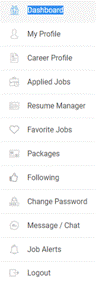
On your Dashboard, you’ll find:
a. Notifications: You
CAN control the type of notifications that potential Employers send to your inbox. Click on Settings to see your option list:
You
CAN control the type of notifications that potential Employers send to your inbox. Click on Settings to see your option list:
You’ll see this list of 3 options.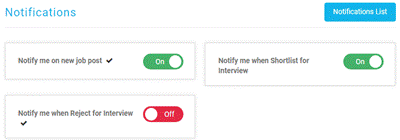 You can click on the red and green buttons to
set the notifications that you desire.
You can click on the red and green buttons to
set the notifications that you desire.
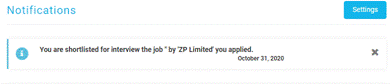
Here’s an example of what your notification might look like when a potential Employer notifies you:
b.
Profile
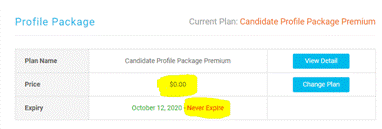
Package: Treat your Profile Package is a “receipt” or confirmation that you
have registered as a FREE user. Click on
“View Detail” for a breakdown of what’s included with this package. You will
not be able to “Change Plan”. The
Candidate Profile Package Premium is always $0.00 and it will never expire!
c. Applications Statistics: This is like a journal of your application activities. Note that “Packages” will always be default at 0.
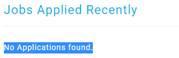
d. Jobs Applied Recently: Here you’ll see a list of all the recent Jobs that you’ve applied for. Example:
 Step 2: My
Profile
Step 2: My
Profile
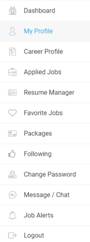
Click on “My Profile”. Here is where you’ll set up your Basic Information and Location. This is a part of the information that Employers will search to locate you. Other Jobseekers WILL NOT be able to see your profile information.
To optimize search results, complete this section as much as you can.
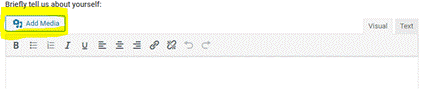 For
your convenience and to make your Profile even more interactive, we’ve given
you the option to use MEDIA (audio and video) to briefly introduce yourself to
Employers!
For
your convenience and to make your Profile even more interactive, we’ve given
you the option to use MEDIA (audio and video) to briefly introduce yourself to
Employers!
Remember to SAVE your settings after completing step 2.
Step 3:
Career Profile
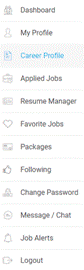
Here’s where you’ll showcase and demonstrate ALL your skills, proficiencies, talents, abilities and any work related activities that are geared towards your career goal. Be as authentic and detailed as you can when completing your Career Profile.
NOTE: The information
you provide in your Career Profile will auto-populate your very professional,
engaging and interactive e-Resume. There’s
absolutely NO LIMIT to the amount of work-related information that you’re able
to provide in your Career Profile...just remember to keep it real!
a) Skills: Position your curser in the “Add Skills” field. Type your skill and press –Enter. Continue until you’ve added all your skills. You can also select from the “Suggested Skills” list. To remove a Skill, click on the “X” to the right.
b) Education: Click “Add Education” and complete the short form as outlined. You can “Add Education” multiple times. You can Edit or Delete your Education at any time.
c) Experience: Click “Add Experience” and complete the short form as outlined. You can “Add Experience” multiple times. You can Edit or Delete your Experience at any time.
d) Portfolio: Here’s where you can add your Photos, Videos and URL to showcase your professional work life.
e) Expertise: Here you’ll enter all your Fields of Expertise. Give yourself a percentage rating for each of your Expertise. Continue until you’ve added all your work related Expertise. You can Edit or Delete your Expertise at any time.
f) Languages: Enter your spoken language in the “Label” box. Then, select how well you speak that language from 3 levels; Beginner, Intermediate and Proficient. Then, give yourself a percentage rating for the Level that you’ve chosen. You can add multiple Languages.
g) Licenses, Permits, Honours & Awards: Enter the Title, Year and Description etc for each here.
Remember to UPDATE CAREER PROFILE after completing step 3.
Now relax. That’s it! Check
your email regularly for notifications from potential Employers!!!
We’re delighted to have you onboard!